B2B sales teams have always known that timing matters. Reach a company the week their new CRO joins and you have a conversation. Reach them six months later and the incumbent vendor already has the renewal locked up.
The problem has never been knowing that timing matters. It has been knowing when the timing is right.
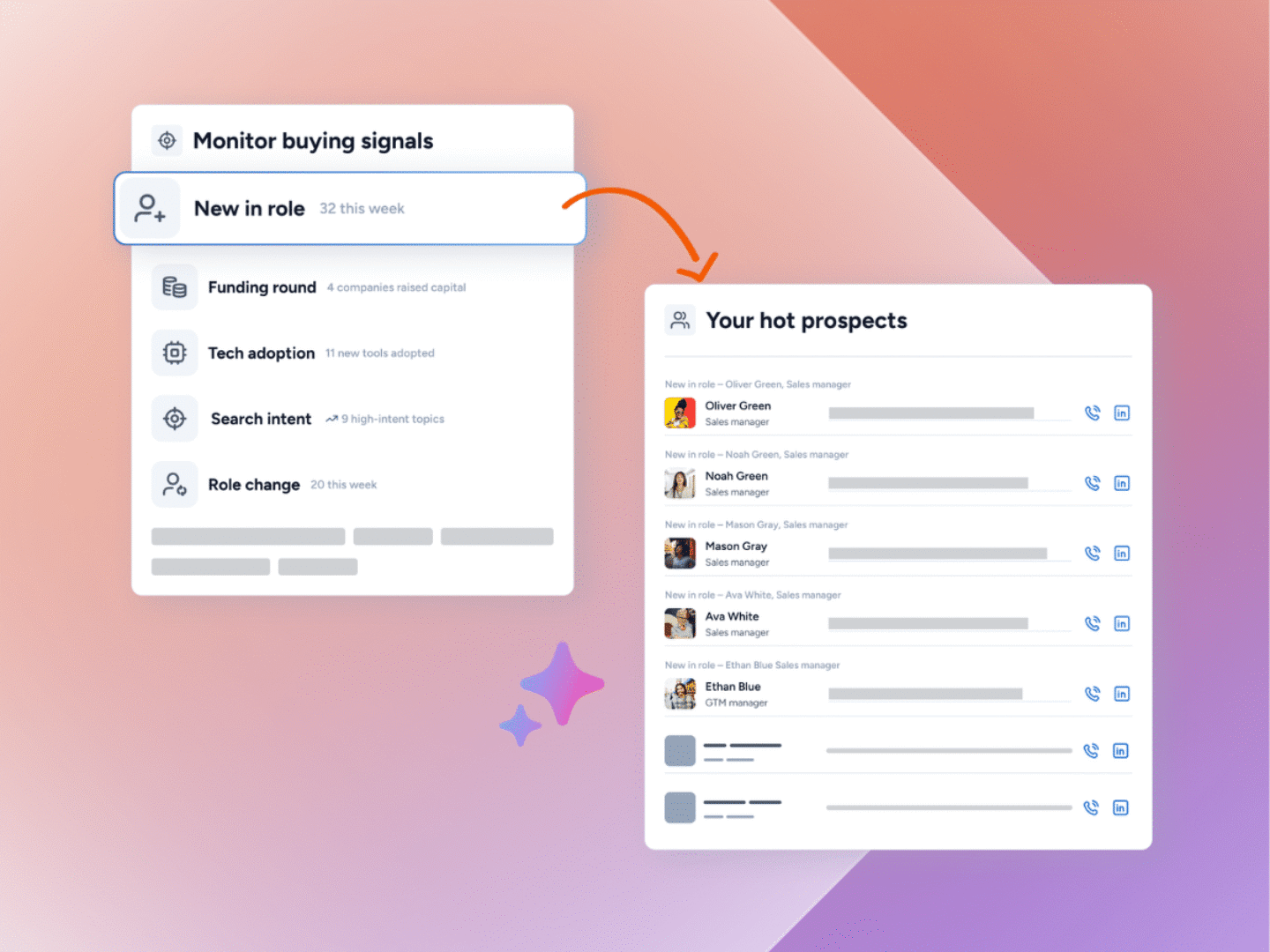
Firmable’s AI-native B2B sales signals are built to solve that problem. Three new capabilities – signal templates, market signals, and agentic CRM actions – let sales teams set up intelligent monitoring in minutes, find net-new accounts the moment they hit a buying trigger, and route those triggers straight into HubSpot or Salesforce as tasks and notes. No manual research. No copy-pasting between tools. No missed moments.
Most signal workflows break at one of three points.
- The setup takes too long, so reps skip it.
- Monitoring only covers accounts already on a list, so new opportunities are missed.
- And when a trigger does fire in a tool like Firmable, the follow-up task lives in a CRM like HubSpot or Salesforce. The gap between them is where deals fall through.
Firmable has shipped three new capabilities to fix each of those problems. Signal templates, market signals, and agentic CRM actions work as a connected system: faster to set up, broader in coverage, and automatic in execution. This post walks through how each one works and where it fits in your workflow.
Three new features
- Signal templates give you pre-built, pre-configured agents covering the most common sales plays. Launch a working agent in under a minute.
- Market signals let you scan the entire Firmable database for buying triggers – no target list required. Find net-new accounts the moment they raise funds, appoint a new exec, or start hiring.
- Agentic CRM actions automatically push the signals your AI agents find into your HubSpot or Salesforce CRM as tasks and notes.
All three features work together. Templates give you a fast start. Market signals expand your coverage. Agentic CRM actions mean every trigger becomes an actionable prompt, right in your CRM where you work.
Three layers of AI-native B2B sales signals
1. Signal templates to launch a working agent in under a minute
Until now, setting up a B2B sales signals agent meant building from scratch. Pick a list, choose a signal type, configure targeting, and write conditions. For reps who knew exactly what they were tracking, that was fine. For everyone else, it was enough friction to delay getting started at all.
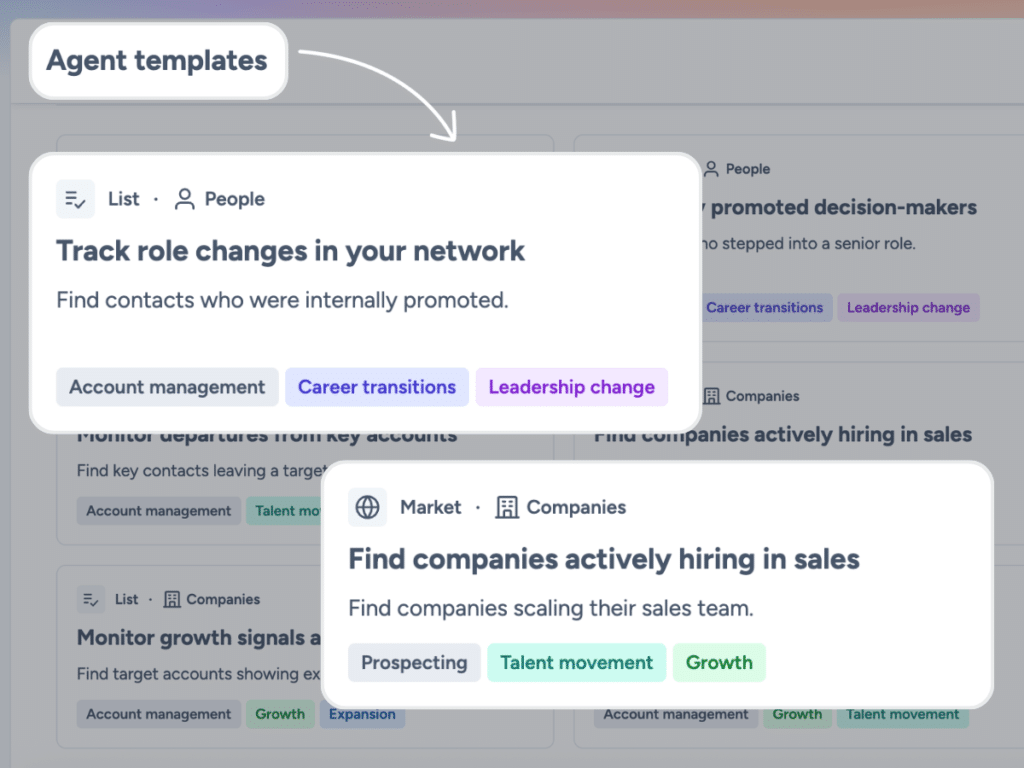
Signal templates remove that barrier. The template gallery contains pre-built agents, each built around a specific sales play and verified against live data before it is shipped. You pick the play that matches what you are working on, point it at a list (or the whole market), and you’re done.
There are two kinds of templates.
List-based templates apply a pre-configured play to a list of key accounts you already have in Firmable. Common examples include tracking leadership changes at key accounts, spotting new joiners, monitoring departures, following key contacts to new companies, and watching M&A, hiring spikes, or funding rounds within your territory.
Market-level templates skip the list entirely. They scan the whole Firmable database in your country for matching triggers. More on that in the next section.
Every template card shows a worked example, the sales plays it supports, and the targeting the Firmable team recommends. You can use a template as-is, adjust targeting before you create, or click Customize to open the full manual builder with everything pre-filled. The custom builder is still an option for teams who want full control from the start.
Templates are fully compatible with agentic CRM actions, so once they are live for your CRM, you can add automatic task or note creation to any template-based agent with a single edit.
Available to Small Teams, Teams Pro and Enterprise users.
2. Market signals to find accounts you’re not tracking yet
Most B2B sales signals agents watch a list. That is the right approach when you already know which accounts matter. But it has a blind spot: it only tells you what is happening at companies already on your radar. It says nothing about the thousands of companies in the Firmable database that just hit a buying trigger you would care about if you knew.
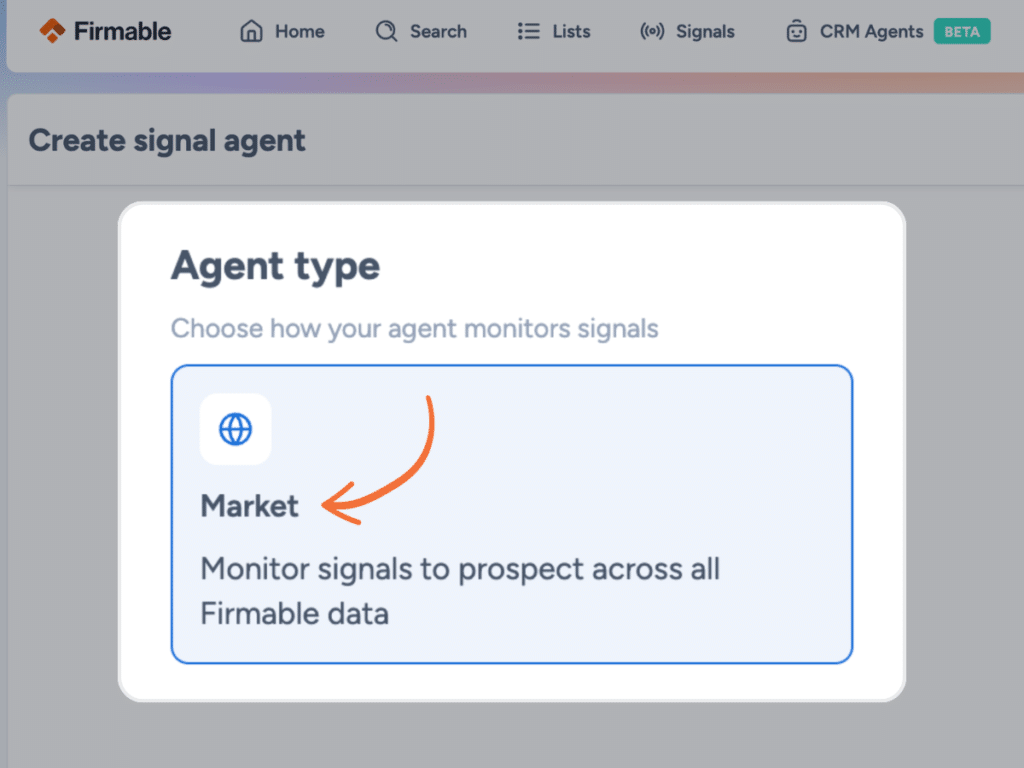
Market signals close that gap. Instead of watching a list, a market signal agent scans the full database (in the available country you specify) for any company that matches your criteria. It is the same technology as a list-based agent, with a broader scope.
What that looks like in practice.
Say you want to find every company in Canada that raised a Series B in the last 60 days. With a list-based agent, you would only surface that event if those companies were already on your list. With a market signal, you get every qualifying company in the database, whether or not they were on your radar before.
The same logic applies to other high-intent triggers: new C-suite appointments in Singapore, hiring spikes in a specific function in Malaysia, M&A activity in New Zealand, product launches in the US, restructures in Australia. Set the signal type, set your targeting, and the agent surfaces matching companies as they come in.
Market Signals are the prospecting kind of signal agent. They are built to find the next account; not monitor the ones you already know. Most teams run them alongside list-based agents rather than instead of them: list agents cover known territory; market agents find new accounts to add to it.
Getting started is straightforward. From the signals page, click + Create, skip the list step (or pick a market-level template from the gallery), choose your signal type and targeting, and create the agent. The entire Firmable database in your country or countries of choice becomes the canvas.
Available to Small Teams, Teams Pro and Enterprise users.
3. Agentic CRM actions to push signal-driven notes and actions your CRM
Signal templates and market signals solve the discovery problem. You find the right accounts at the right moment. But there is still a gap between finding a signal in Firmable and doing something about it in HubSpot or Salesforce. Until now, bridging that gap meant manually reviewing signals, then switching tabs to create a task or add a note to the record.
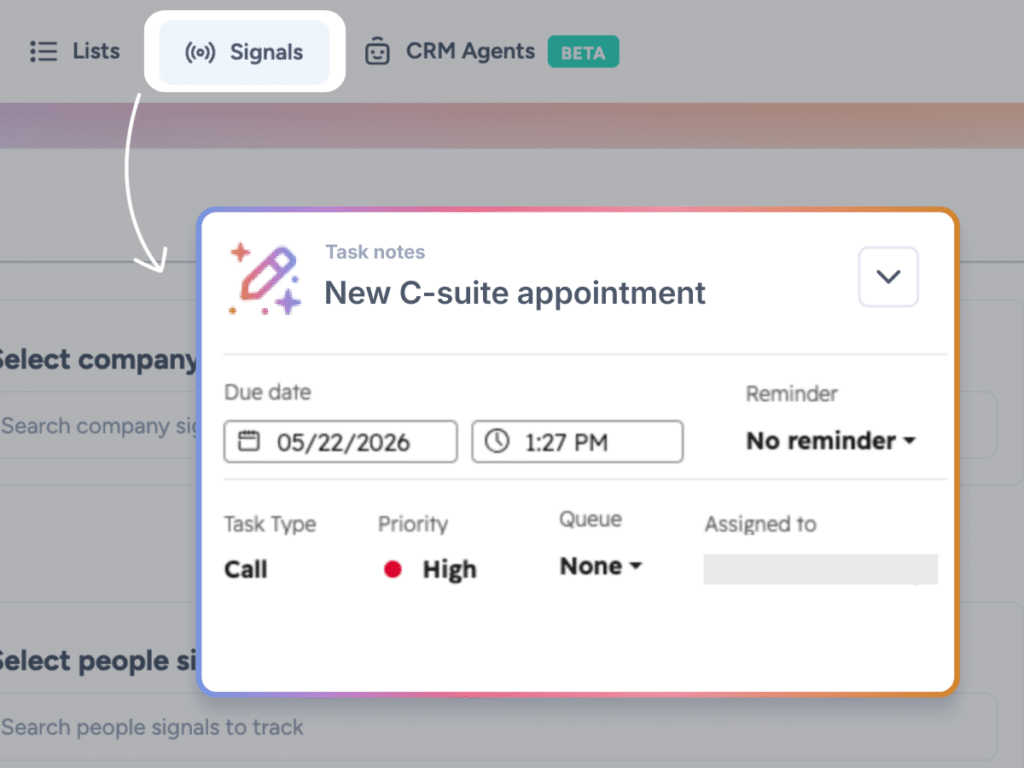
Agentic CRM actions remove that step. Once configured, a signal agent can push the triggers it finds directly into your CRM as tasks and notes, automatically, every time the agent runs.
This is how it works.
An admin sets up action templates once in Settings, under Integrations > CRM> Agent actions. Those templates define the task title (using dynamic variables like company name, signal name, and signal summary), the note content, task priority, assignee, and visibility. Once set, those templates apply to every agent across the org.
When a rep creates a B2B sales signals agent, a new Actions step appears in the agent builder. They toggle on Create task, Create note, or both. The template content shows as a read-only preview. From that point on, every time the agent runs and finds a matching signal, the configured action fires automatically in the CRM.
Both HubSpot and Salesforce are supported from day one. Existing agents keep working exactly as before and can be edited to add actions whenever a rep is ready.
Agentic CRM actions is in final testing and will be available to Small Teams, Teams Pro and Enterprise customers using HubSpot or Salesforce shortly.
How Firmable automates signal detection across your whole market
The plays above tell you what to do when a signal fires. The harder problem is making sure you catch every signal in the first place.
Most teams miss triggers on accounts they are already tracking and miss them entirely on accounts not yet on their radar. A new CRO joins a Series B company in your territory. A competitor’s customer starts hiring aggressively. A prospect you spoke to six months ago just raised a round. If you are not actively watching, you will not find out until it is too late.
How the three features work together
Each feature addresses a different part of the same workflow.
Signal templates solve the setup problem. Reps who previously avoided signals because configuration felt complicated now have a starting point for every common play. Reps who already use signals can add new plays without rebuilding the wizard.
Market signals solve the coverage problem. Your named account list is a starting point, not a ceiling. Market signals find accounts you were not watching, the moment they become worth watching.
Agentic CRM actions solve the workflow problem. Signals that previously lived in Firmable now land in the tool where follow-up happens. Tasks appear in the CRM after the trigger fires. Nothing is missed because someone forgot to look at the signals tab.
Together, they move signals from a monitoring feature to a prospecting and execution layer. The buying trigger becomes a discovery; the discovery becomes a CRM task; and the task becomes a conversation.
What signal types are available in Firmable?
Firmable signals cover both company-level and people-level events.
Company signals include new C-suite appointments, leadership changes, funding rounds, mergers and acquisitions, new product and service launches, partnership announcements, recruitment and hiring activity, reorganization and restructuring, financial updates, awards and recognitions, certifications and accreditations, competitive intelligence, event participation, and more than 30 types in total.
People signals include role changes (new in role, role change, left a role), career transitions (joined a new company), and contact discovery events (work email found, personal email found, mobile found).
All signal types are available whether you are running a list-based agent or a market signal.
Next steps
New to Firmable and want to know more? Start with a free 14 day trial.
Frequently asked questions about AI-native B2B sales signals
AI-native signals describe Firmable’s three new signal capabilities: Signal Templates, Market Signals, and Agentic Signal Actions. Collectively, they let sales teams find buying triggers faster, discover net-new accounts at market scale, and route those triggers into their CRM automatically.
A list-based agent watches a specific Firmable list and surfaces signals on the accounts in that list. A market signal agent scans the whole Firmable database in a selected country for matching events, with no list required. Same signal types, different scope. Most teams run both in parallel.
No. Signal Templates give you 23 pre-built agents covering the most common sales plays. Pick a template, set your list (or scan the market), and you are live. You can still build custom agents from scratch if you prefer.
HubSpot and Salesforce are supported at launch.
Yes. Create task and Create note can both be active on the same agent at the same time.
No. Task and note templates are set by an admin and apply consistently across the org. Individual users can toggle actions on or off on a per-agent basis, but they cannot edit the template content. This keeps CRM activity consistent across the team.
Signal Templates and Market Signals are available to Small Teams, Teams Pro and Enterprise customers. Agentic CRM Actions will be available on the same plans once it moves beyond final testing.
Yes. The launching templates are the verified set. The Firmable team has a roadmap of additions based on customer plays.